
Find Free Fire MAX teammates who are ready to play now.
Instead of sending “who wants to play?” again and again, use NIQVO Gaming Pulse to signal that you are ready for Free Fire MAX and connect when compatible friends or community members are ready at the same time.
A teammate finder based on who is actually available
You may already know plenty of Free Fire MAX players, but that does not mean they are online when you want to start a match. Gaming Pulse focuses on this timing problem.
When you are ready to play, set a temporary Gaming Pulse. If another compatible player in your NIQVO network wants the same game during the same period, a Coincidence can bring that shared moment together.
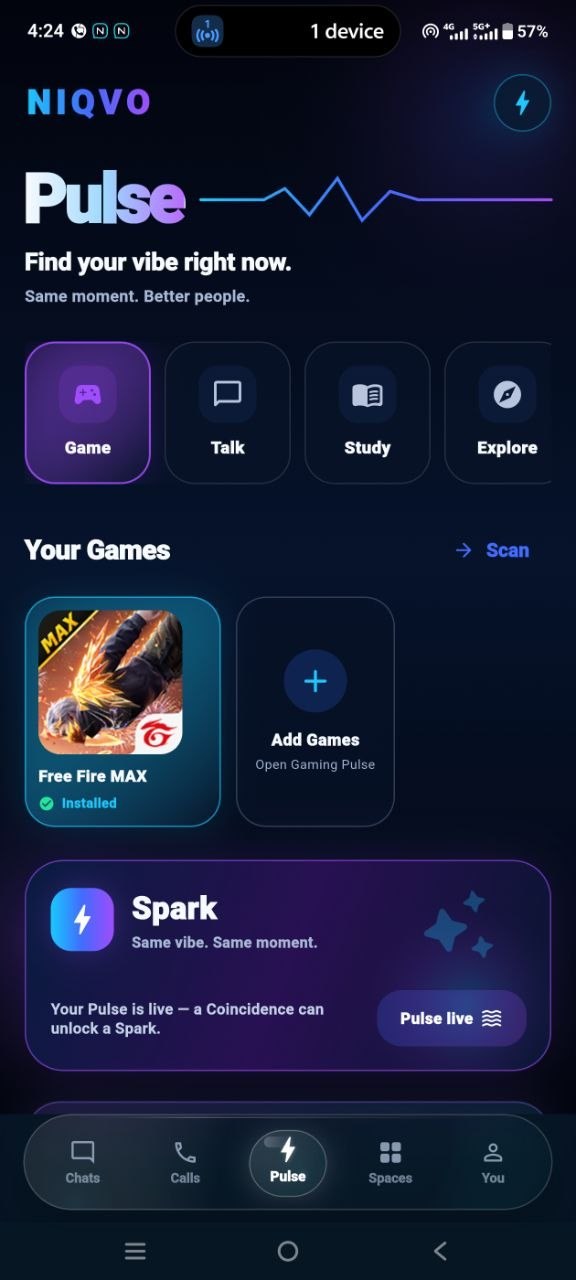
How to find Free Fire MAX teammates with NIQVO
- Open NIQVO and choose Pulse.
- Select Gaming as your intent.
- Choose Free Fire MAX when it is available as a supported installed game.
- Set the temporary Gaming Pulse.
- NIQVO looks for compatible timing in your social or community connections.
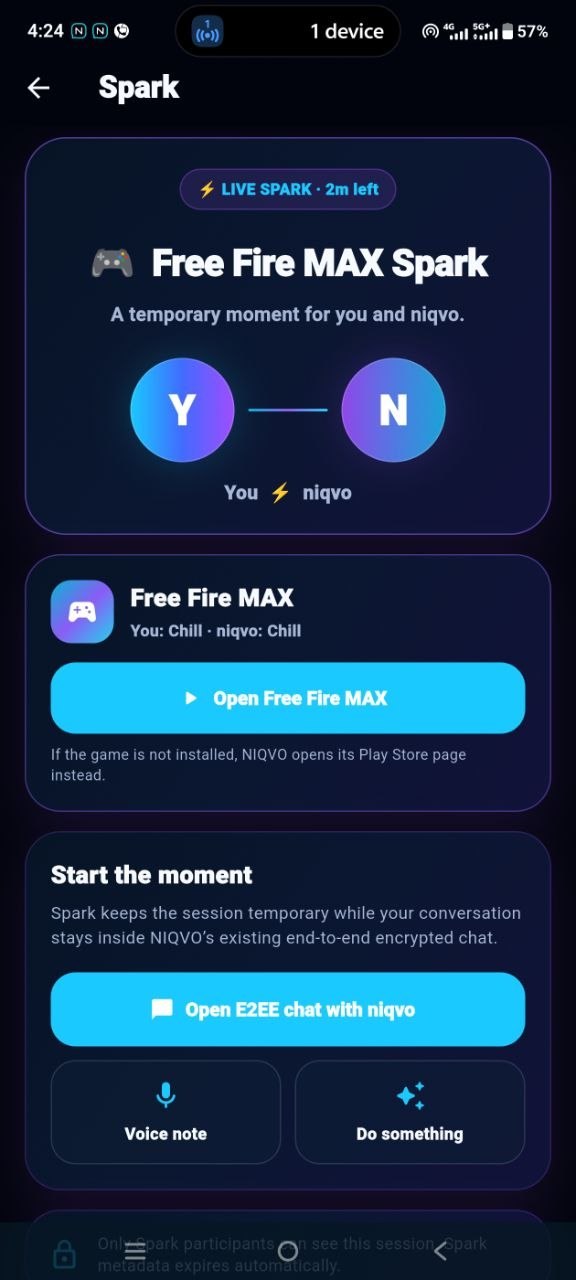
- When a Coincidence happens, start a Spark and coordinate the match.
Game availability and launching behaviour can vary depending on device support and installed applications.
Useful for Free Fire MAX squads and communities
A busy gaming community can have many active players but still make squad coordination feel manual. Messages get buried, people reply after a session has already started, and players often need to ask multiple groups before finding someone free.
Gaming Pulse gives the community a lightweight availability signal. Players indicate when they actually want to play, while Coincidence helps surface moments when that intent lines up.
From Gaming Pulse to Coincidence to Spark
NIQVO uses three simple stages. Pulse represents the temporary intention to play. Coincidence represents matching timing between compatible players. Spark is the next step after the match, where users can coordinate and move into the shared activity.
Free Fire MAX teammate finder FAQ
Can NIQVO help me find someone to play Free Fire MAX with?
Gaming Pulse can help compatible friends and community members discover that they want to play during the same period.
Is this the same as random matchmaking?
No. NIQVO focuses on timing between compatible social and community connections instead of acting as unrestricted anonymous matchmaking.
Do I need to message everyone first?
The purpose of Gaming Pulse is to reduce that repeated coordination. You signal your current gaming intent and wait for compatible timing.
What happens when another player matches my Pulse?
NIQVO can create a Coincidence, after which players can start a Spark and coordinate the session.
Need BGMI teammates instead?
Visit the BGMI teammate finder, or learn more about the complete NIQVO Gaming Pulse flow.